
ADVANCED ANALYTICS
Your customer journey starts before the first click.
Traditional analytics starts when somebody visits your website. AdMapia starts earlier — by understanding the locations, property characteristics and household environments behind the areas you advertise to.
Then connect that location intelligence with website behaviour, advertising interactions and eventual sales to answer a more valuable question:
What types of locations and properties actually produce your best customers?
Example report · demonstration data, not verified client results
1 — BEFORE THE CLICK
Understand where your audience lives.
Before spending advertising budget, AdMapia can analyse postcode areas using property and geographic characteristics to identify where your best customers are most likely to be.
Available analysis can include:
- Property type and built form
- Average floor area and number of rooms
- Property age characteristics
- Owner-occupation and tenure
- Energy efficiency and energy demand
- Rural/urban classification
- Income and deprivation indicators
- Property and household density
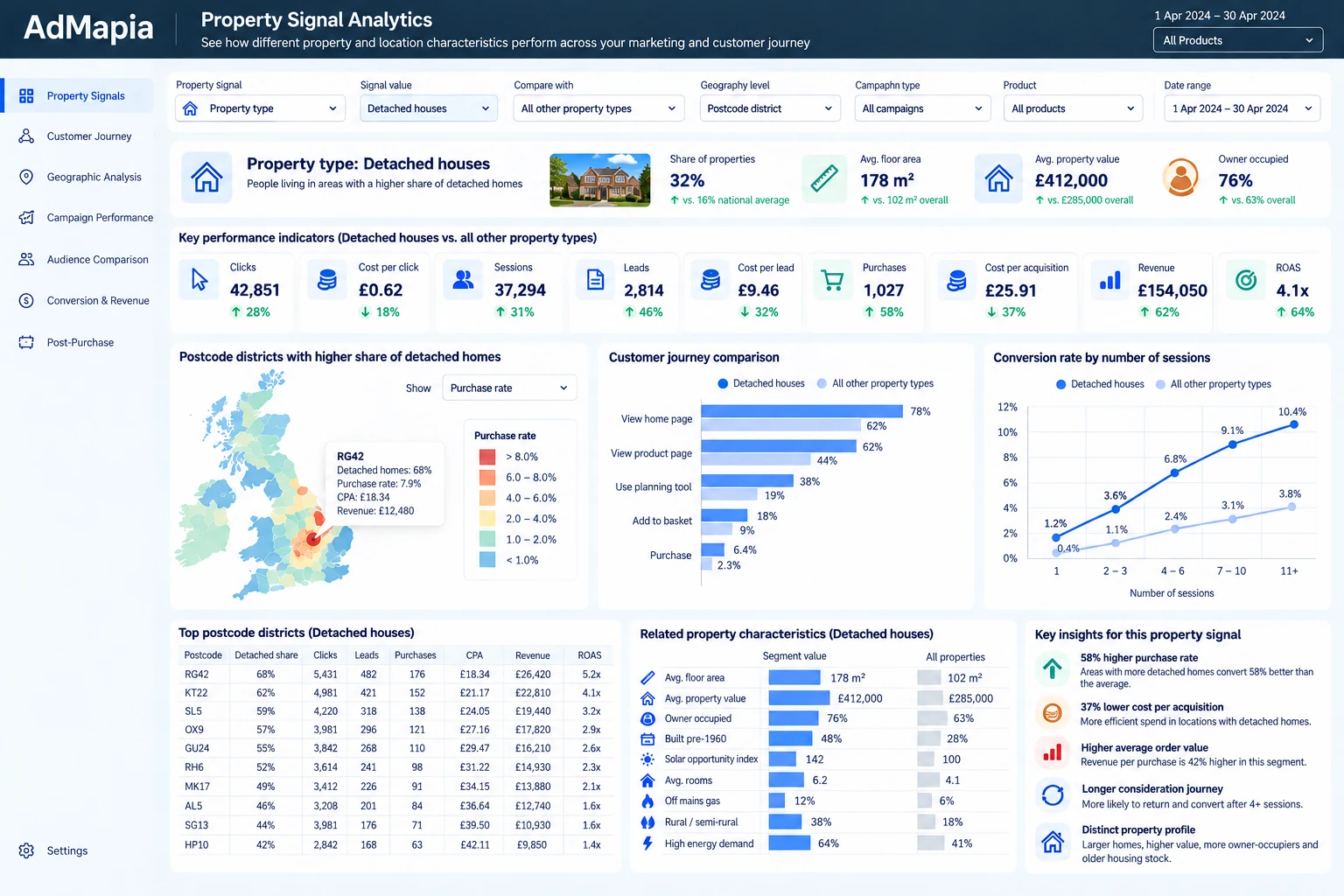
Property Signal Analytics brings property filters, postcode district comparisons, property characteristics, conversion and performance KPIs, a UK postcode map, related signals and key insights into one report.
Example report · demonstration data, not verified client results
2 — DURING THE JOURNEY
See whether different locations behave differently.
Connect postcode and property cohorts with GA4 and advertising behaviour to investigate whether people from different areas use the website differently.
Examples to explore:
- Pages viewed and products researched
- Plans/configurations created
- Engagement time
- Repeat sessions and return visits
- Downloads
- Add-to-cart activity
- Number of advertising touches
- Days from first visit to conversion
These are example cohort patterns to investigate, not claims about specific individuals.
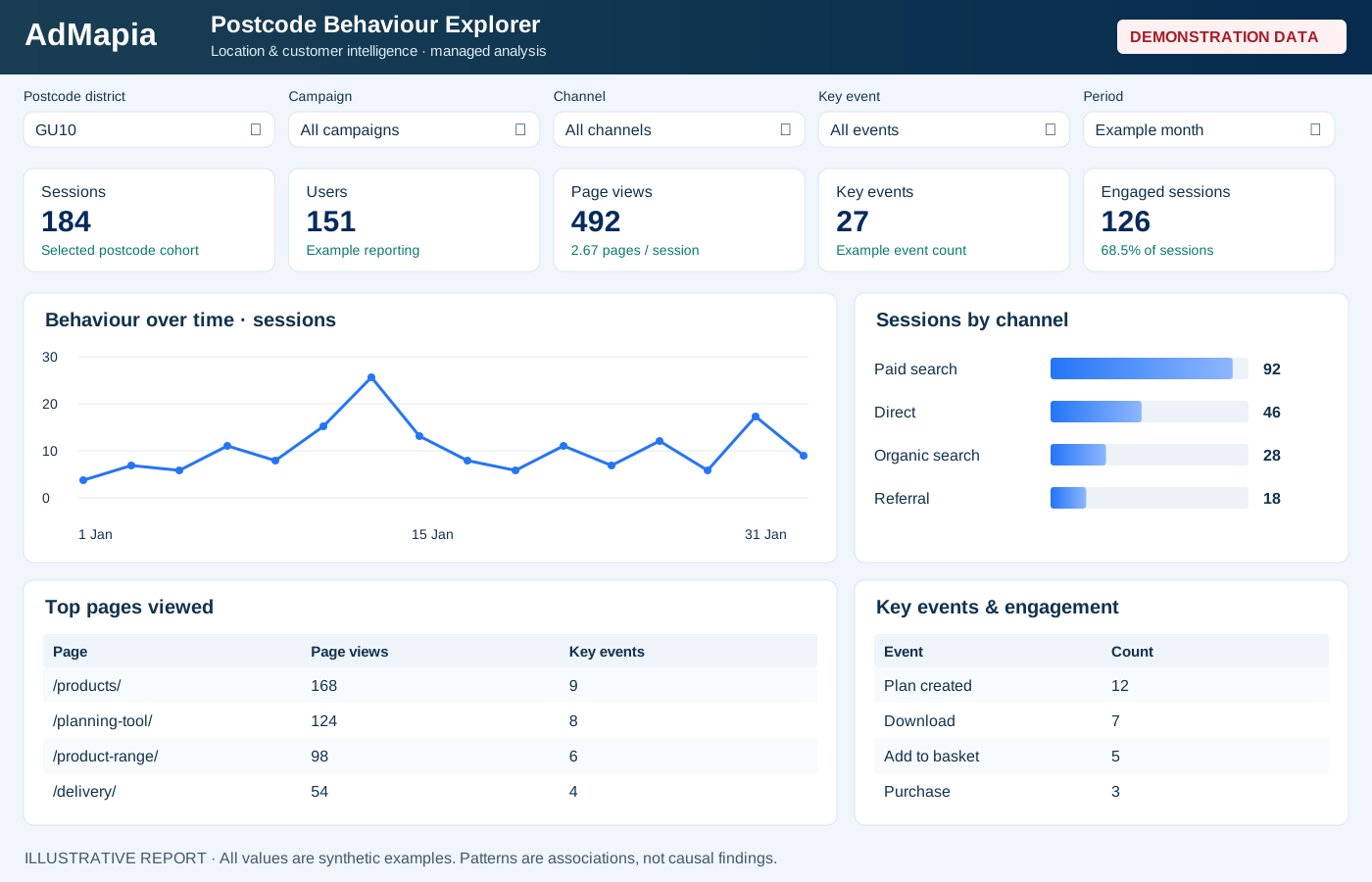
The Postcode Behaviour Explorer compares a selected postcode district’s sessions, users, page views, key events, engaged sessions and average pages per session, alongside behaviour over time, sessions by channel and top pages viewed.
Example report · demonstration data, not verified client results
3 — CONVERSION
What separates a future customer from a browser?
Move beyond standard attribution and analyse behavioural patterns across converters and non-converters to identify the signals that appear during the journey.
Examples to investigate:
- First visit → product research → planning → return visit → checkout
- Last plan viewed before checkout
- Number of plans/configurations created
- Frequency of return visits
- Time from first interaction to conversion
- Number of paid clicks
- Number of channel touchpoints
- Returning-user behaviour
We analyse patterns across postcode and property cohorts. This does not identify the exact private property characteristics of a named individual household.
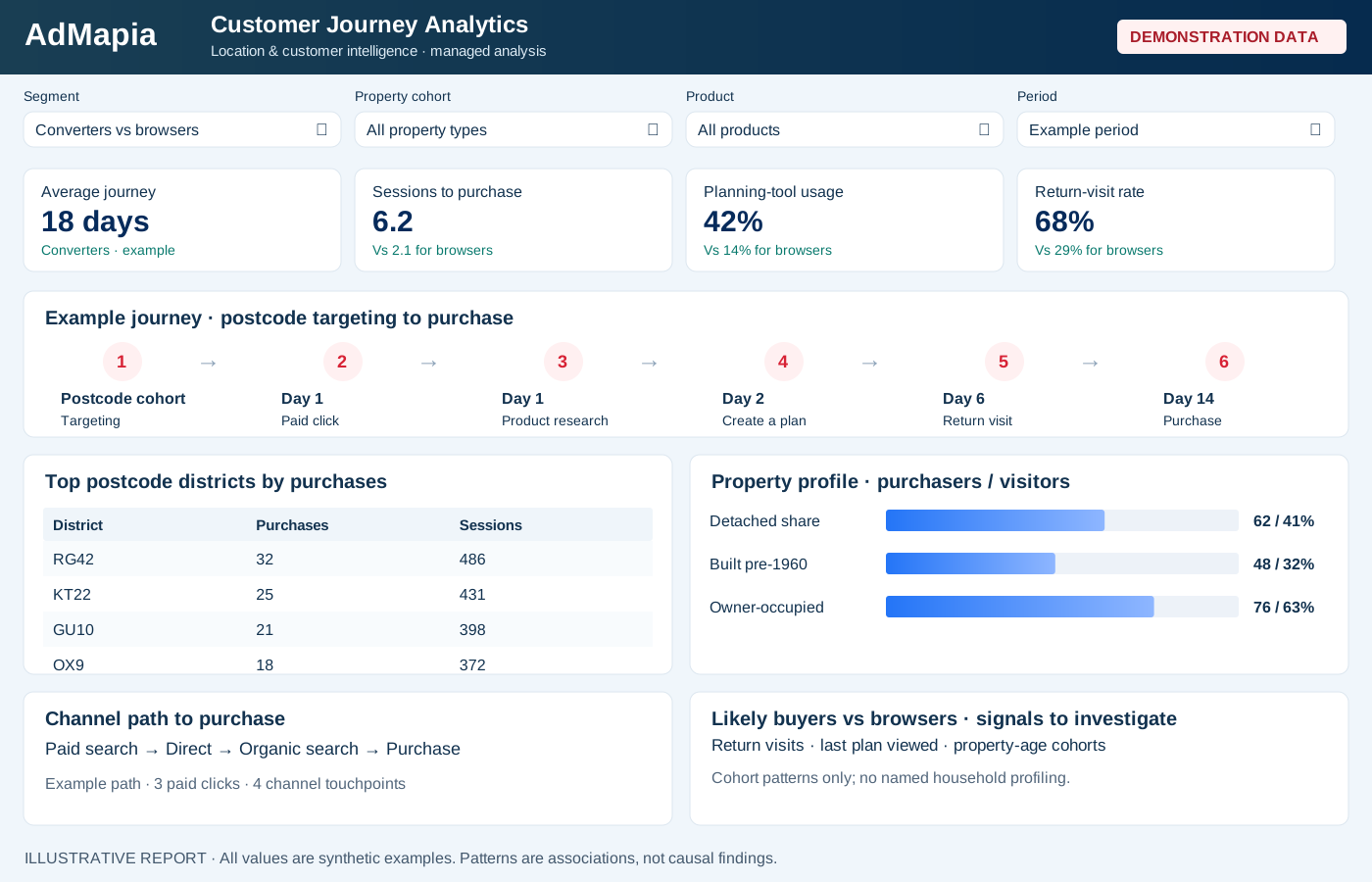
Customer Journey Analytics connects postcode targeting to purchase: top districts by purchases, purchaser versus visitor property types, built form and property age, average journey length, sessions before purchase, channel paths and key signals associated with likely buyers versus browsers.
Example report · demonstration data, not verified client results
4 — AFTER THE SALE
A conversion isn’t the end of the analysis.
Feed purchase and lead value back into the location model to understand which areas and property types generate your strongest customers.
Analyse:
- Revenue
- Average order value
- Repeat purchases
- Customer value
- Postcode
- Property profile
- Product/category purchased
- Repeat purchase rate
- Higher-value customer segments
Revenue → AOV → Repeat purchases → Customer value → Postcode → Property profile
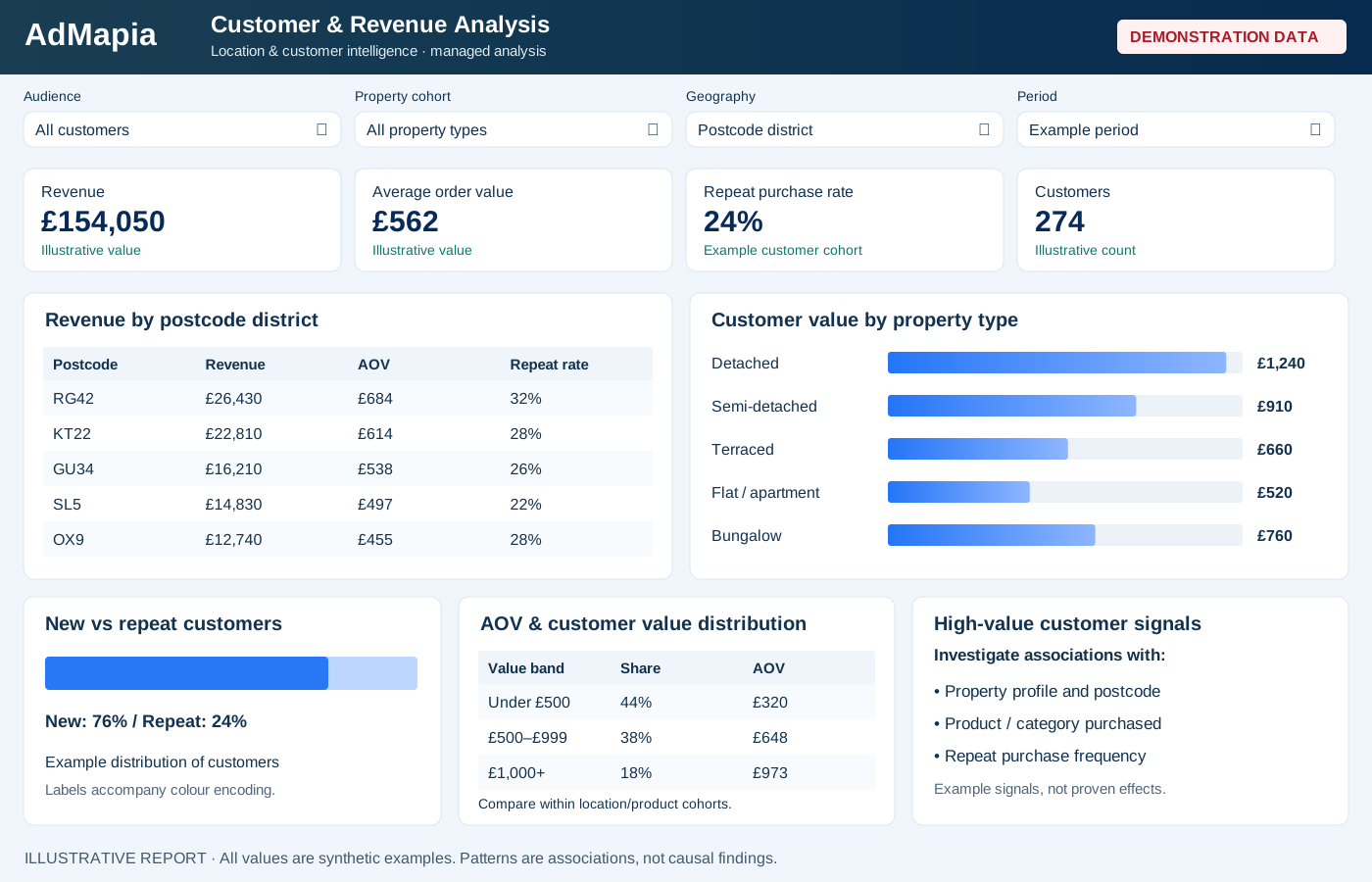
Customer & Revenue Analysis brings together revenue by postcode, customer value by property type, new versus repeat customers, average order value by location/property cohort, repeat purchase rates, customer value distribution and higher-value customer signals.
Example report · demonstration data, not verified client results
5 — LEARN & IMPROVE
Turn customer insights into better targeting and more sales.
Feed the findings back into advertising so location targeting becomes an ongoing learning system rather than a one-off postcode report.
Insights can inform:
- Geographic targeting
- Bid adjustments and experiments
- Campaign structure
- Budget allocation
- Product-specific location strategies
- Landing-page messaging
- Customer personas
- Lookalike postcode discovery
- Expansion into new geographic areas
- Testing and measurement
Postcode Intelligence → Advertising → Website Behaviour → Purchase → Property Analysis → Better Postcode Targeting
For example, use geographic performance analysis to plan and measure Google Ads location targeting experiments.
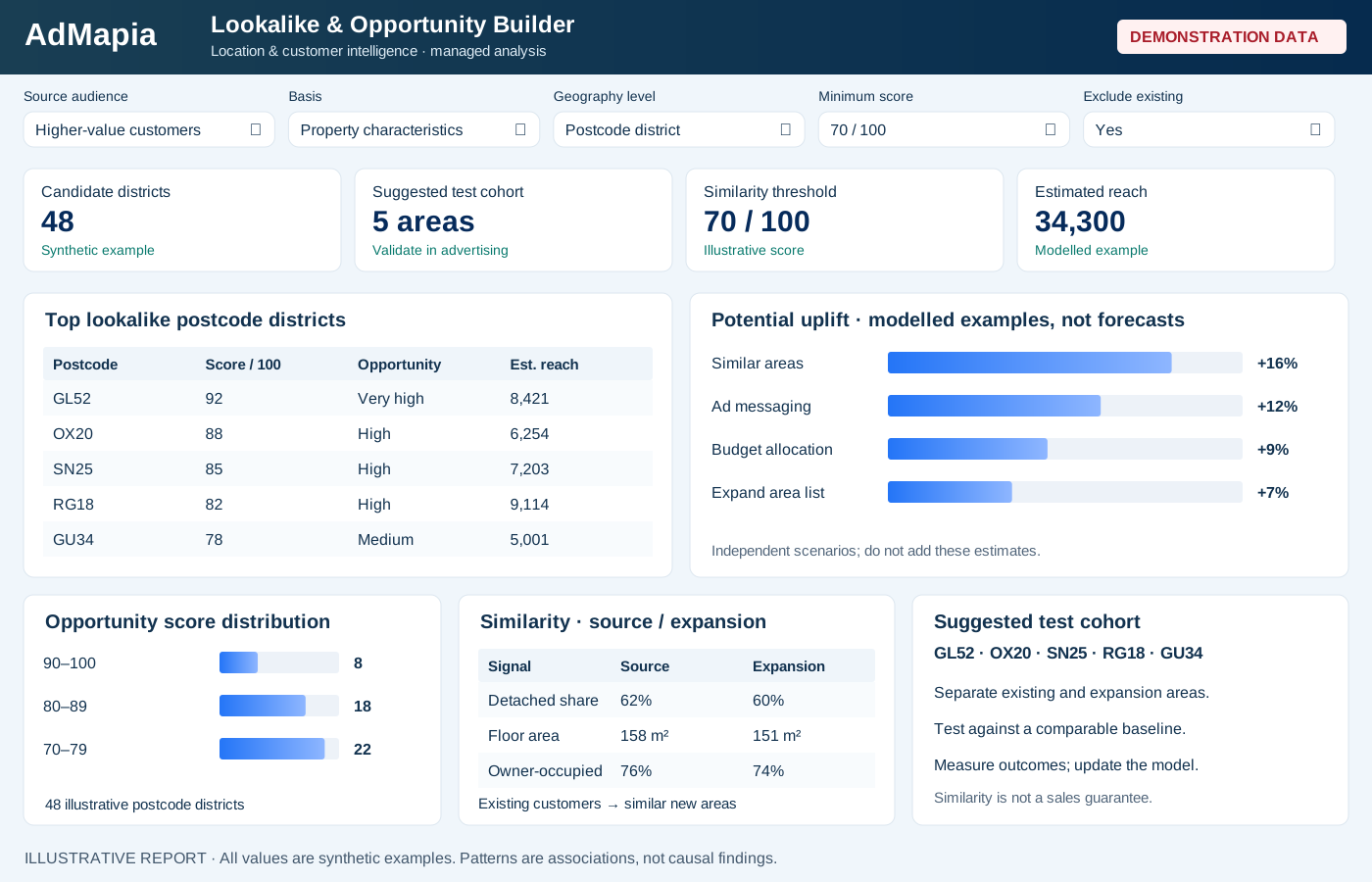
The Lookalike & Opportunity Builder illustrates source audience, property-characteristic basis, geography, minimum similarity score and existing-area exclusions. Compare candidate postcodes, opportunity scores, estimated reach, property signals and existing versus expansion areas to select a test cohort. Any potential uplift shown is a modelled example, not proven performance.
Example report · demonstration data, not verified client results
Find out what your best customers have in common.
Your analytics already tells you what people do after they arrive.
AdMapia adds the missing location and property layer — helping you understand where your best customers come from, how they behave, what they buy and where to find more people like them.
Request a personalised Location Opportunity Report and discover the areas with the strongest customer potential for your business.
AdMapia delivers the analysis with you. These examples illustrate reporting capabilities, not a public self-service dashboard.
Build your Location Intelligence Report.
Tell us about your business, the locations you serve and what you’d like to understand.